Laravel
Table of Contents
Laravel
About Laravel
- Laravel is PHP based modern and most used framework.
- Very easy to develop web application and API
- Open source
- Click for official site.
Why use Laravel
- Fast and Easy to develop
- Strong command line support
- Regular update
- Large Community
- Easy to develop API
Prerequisites
Install xamp for PHP and MySql
composer
- composer is a dependency manager for php
- Install composer
Laravel Installation
Now open a cmd terminal and run the below code to create laravel project named “products” composer create-project --prefer-dist laravel/laravel prducts
Routing
Calling Users controller by the following command through routes->web.php
Route::get('users', [Users::class,'index']);
Controller
php artisan make:controller Users
View
Model
Middleware
Laravel Package
Passport
1. Installation of Passport
composer require laravel/passportIf a timeout error shows then run the below command
COMPOSER_MEMORY_LIMIT=-1 composer require laravel/passport2. Migration
php artisan migrate3. Key Generate
php artisan passport:install4. User Model
use Laravel\Passport\HasApiTokens;
use JasApiTokens, HasFactory, Notifiable;
5. Update Api\Providers\AuthServiceProvider
use Laravel\Passport\Passport;In boot, function add the below code
Passport::routes();6. Update config/auth.php
 'api' => [
        'driver' => 'passport',
        'provider' => 'users',
    ],
7. create a route and function in the controller
Install Vue3 in Laravel 8/9/10
Step-1: Remove all information from the body part of the Welcome.blade.php and write the below code
Step-2: Now install the following:
npm install @vuenext
npm install @vitejs/plugin-vue
Step-3: Now go to the vite.config.js file located in the project folder and update the below code.
import { defineConfig } from 'vite';
import laravel from 'laravel-vite-plugin';
import vue from "@vitejs/plugin-vue";

export default defineConfig({
    plugins: [
        laravel({
            input: ['resources/css/app.css', 'resources/js/app.js'],
            refresh: true,
        }),
        vue({
            template:{
                transformAssetUrls:{
                    base: null,
                    includeAbsolute: false,

                },

            },

        }),
    ],
});
Step-4: Create a new file named Welcome.vue in resources/js/Welcome.vue and write the below code
<template>
  <h1>Welcome page from vuejs</h1>
</template>

<script>
export default {

}
</script>

<style>

</style>
Step-5: Now open the file form resources/js/app.js file and write the below code:
import {createApp} from "vue";
import Welcome from "./Welcome.vue";

createApp(Welcome).mount("#app");
Step-6: Now write the below code in the Welcome.blade.php file just before ending the head tag
@vite(['resources/js/app.js', 'resources/css/app.css'])
Step-7: now run the project using the below command and enjoy the output in Browser!!!
php artisan serve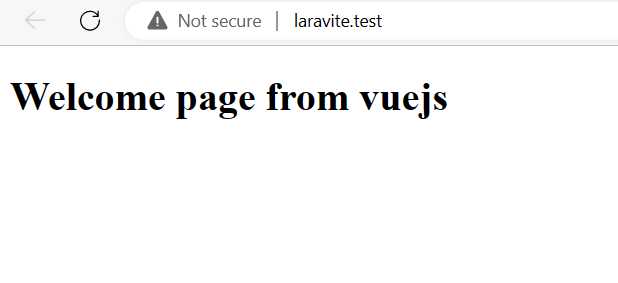
Important Laravel commands